|
The Design Dashboard
The Only "Point 'n Click" System That Turns Creating Web Pages, Landing Pages, Mini-Sites And Blogs Into A Virtual No-Brainer
Here is your link: http://www.getyoursales.com?p=YOUR-ID&w=designdash
|
Scroll down or click your marketing method.
| WELCOME | AFFILIATE ID | BANNERS | GRAPHICS | EMAIL CAMPAIGNS | ARTICLES | LINK CLOAKERS | SIGNATURE LINES |
WELCOME TO THE DESIGNDASHBOARD.COM AFFILIATE PAGE
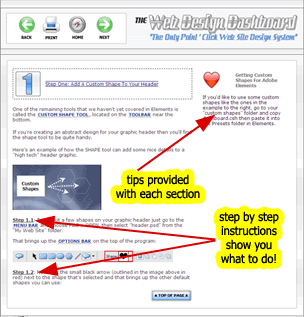 |
DesignDashboard.com
The Only "Point 'n Click" System That Turns Creating Web Pages, Landing Pages, Mini-Sites And Blogs Into A Virtual No-Brainer
Marketing Price: Regular - $59.95 / Turbo - $79.90 You earn: $29.95 per regular conversion / $39.95 per turbo conversion Backend: $29.95 per regular conversion / $39.95 per turbo conversion Network: DirectTrack Payment Type: Daily Cookie Period: 10 years |
AFFILIATE ID
USE THESE BANNERS ON YOUR WEBSITES AND BLOGS

Copy / Paste this code into the HTML of your
Website to display the Banner above.

Copy / Paste this code into the HTML of your
Website to display the Banner above.

Copy / Paste this code into the HTML of your
Website to display the Banner above.

Copy / Paste this code into the HTML of your
Website to display the Banner above.
EMAIL CAMPAIGNS
A link to the Design Dashboard sales page.
Copy the code in the text box below and place it in your email.
Marlon Sanders' Design Dashboard
Email to send to your customers.
Copy the subject and body and promote the product through various email campaigns.
Subject:
Major Breakthrough from Marlon Sanders
Body:
Marlon Sanders has come up with major breakthrough and
It's called the "Design Dashboard." And it's really going
Whether you have sales sites, landing pages, mini sites,
So turn up your speakers, click the link and listen
<a href="http://www.getyoursales.com?p=msXXXXX&w=designdash/">Audio Postcard</a>
Best Wishes,
|
----------------------------------------------------------
Email to send to your customers.
Copy the subject and body and promote the product through various email campaigns.
Subject:
You've Gotta Check Out the New Design Dashboard
Body:
You've gotta take a look at "The Design Dashboard" from
Do you need to design:
* Web sites
You point. You click. You follow the big blue numbers.
It's A to Z. All step-by-step screen caps supported by
Here's what it does for you:
End Result:
a. Your own custom web site graphics that are a cut above
b. You will do your own header graphics faster than you
c. You will know how to do special effects like scanlines
d. You will be able to trick out templates you buy or
e. You save costs (No Photoshop CS or Dreamweaver needed)
f. You will get step-be-step instructions on ftp, getting
g. Saves you the costs of design fees. At $150-$300 per
h. Even if you still use a designer, there are times when
i. You can create your OWN templates just as good as many
j. Most templates are NOT designed for "our type" of SHOULDN'T I OUTSOURCE?
I disagree with the "outsource everything" view. YES, you
I did most everything myself early on. And as the money
If you've got the bux to hire everything out, fine. But
Anyway, check it out:
<a href="http://www.getyoursales.com?p=msXXXXX&w=designdash/">Click Here</a>
Best wishes, |
----------------------------------------------------------
Email to send to your customers.
Copy the subject and body and promote the product through various email campaigns.
Subject:
Q & A on Design Dashboard
Body:
Here are some questions you may have about the
QUESTION ONE: Is this just for designing web sites? Or can
ANSWER: It'll help you with anything you need to do
QUESTION TWO: Is this something I can REALLY do without
ANSWER: ONLY if you have "The Design Dashboard." If you
QUESTION THREE: Why would I need this if I use templates?
ANSWER: 1. A blog header with graphics looks better than a
2. Templates for Power Point are just backgrounds. What
3. If you buy the SAME templates from the same places
4. With just a little skill and the right software, you
5. There ARE programs that create ebook covers but they
QUESTION FOUR: How much is the software gonna ding me for?
ANSWER: $100 or less for the graphics software. If you
In other words, if you do just ONE graphic header in 2007
QUESTION FIVE: Why learn to do design when I can outsource
ANSWER: 1. You may not get the special treatment and same
2. Talented designers sometimes get booked up for weeks.
3. Once you see how easy it is to do graphics, you'll
4. Outsourcing is great. But you may want to only
5. You can have your ASSISTANT use the Design Dashboard
QUESTION SIX: What will the Design Dashboard do for me?
ANSWER: 1. You can design GRAPHICS for blogs, landing
2. Above and beyond that, there are step-by-step
3. You will save money.
Other programs use software that isn't mainstream and may
4. You will save time
I know you have 1,000 things to do. Even watching videos
5. You will avoid a painful, full-blown learning curve The worse thing about software is the learning curve. I've
QUESTION SEVEN:
ANSWER:
The URL is:
<a href="http://www.getyoursales.com?p=msXXXXX&w=designdash/">http://www.designdashboard.com</a>
Best wishes, |
----------------------------------------------------------
Email to send to your customers.
Copy the subject and body and promote the product through various email campaigns.
Subject:
Special Video From Mr. Stickman
Body:
Greetin's from Texas.
This is Marlon's Mr. Stickman here.
While Marlon was away,I got a bright idea
Ouch! Getting stuck between the keys
Anyway, I managed to create a short video.
If you're tired of people stickin' it to
And while I may be just a simple stickman, Here it is:
Muchos stickos, Mr. Stickman |
PLACE THESE ARTICLES ON YOUR BLOGS, ON YOUR WEBSITE, AND SEND VIA EMAIL
How To Grow Your Business This Year
|
Title:
How To Grow Your Business This Year
Body:
Marlon Sanders here to talk for a moment about your
If you've spent any amount of time coming up with new
For example, one of the MOST important goals for many
(After all, it's common knowledge that your list is going
In order to start growing your list, the first thing you
But if you've never created an opt-in form before then
* Where do you get the opt-in page from?
* How do you add the form to your site?
* How do you make it work so the names and addresses
* How do you make it work so the confirmation page
* How do you use a nice looking graphic pop up with
* Where do you get the code to make the form work?
* And much more...
Of course those are just a few of the questions you
I remember when I first started out, just trying to figure This just one of the reasons I created the Design Dashboard.
Nothing could be easier.
For full details on everything the Design Dashboard can
<a href="http://www.getyoursales.com?p=msXXXXX&w=designdash/">http://www.designdashboard.com</a>
Best Wishes, Marlon Sanders
Check out the new Design Dashboard <a href="http://www.getyoursales.com?p=msXXXXX&w=designdash">Click Here</a> |
----------------------------------------------------------
The Basic Dilemma Of Internet Marketers That You're Probably Struggling With Also -- And What To Do About It
Title:
The Basic Dilemma Of Internet Marketers That You're Probably Struggling With Also -- And What To Do About It
Body:
By Marlon Sanders
There's a basic dilemma all Internet marketers face: Learn the new methods that get better results
Versus --
Do the basics that you know work.
If you want to make maximum profits, then you need to
On the other hand, if you want to make maximum profits,
It's a classic double bind.
If you spend all your money and time learning new things
At the same time, if you spend all your time DOING, you
This puts internet marketers in a real time crunch because
What's the solution?
I call it breathing. It's a natural rhythm. You learn.
If you get stuck in learning and don't do, you won't make
In my case, I'm devoting this whole entire year to
I started on this system one year ago. And I let myself
I talk to some marketers who just don't know what they're On the other hand, there are MANY marketers who HAVE been
Yet, they just don't get products out. They don't get
That's why the natural rhythm of money is to learn and do.
A lot of people get stuck on that point because DOING is a
It's ALWAYS going to take longer and be harder than you
But the people who succeed can tolerate the PAIN OF
It means you're confronted with the details of learning
For every 1 thing that WORKS, you'll likely try TEN that
I remember discussing this whole topic with Corey in times
It made me feel a little better that I wasn't the only one
I hope this article gives you a little more clarity on the
For more information <a href="http://www.getyoursales.com?p=msXXXXX&w=designdash/">Click Here</a>
Marlon Sanders
Check out the new Design Dashboard <a href="http://www.getyoursales.com?p=msXXXXX&w=designdash/">Click Here</a> |
LINK CLOAKING SITES
Cloaking is important if you are not using a domain name forwarding to your lander or the site. This prevents other affiliates or softwares from spying on your affiliate ID.
If you are not using a domain name in this campaign, please make sure to cloak your links on all your blogs, websites, etc.
Here are a couple of easy to use link cloaking sites we reccomend.
|
SIGNATURE LINES FOR FORUM POSTS
Forums are an AMAZING way to promote yourself and your affiliate links or domains. Ideally, you should buy a .com or .info and point it to your landing page or our site, OR use a cloaking service to cloak your link first.
When you sign up to a forum, your profile and account sections will have 'sig link' settings, once you sign up you will be able to create your signature links.
Here are some great sig link options:
|